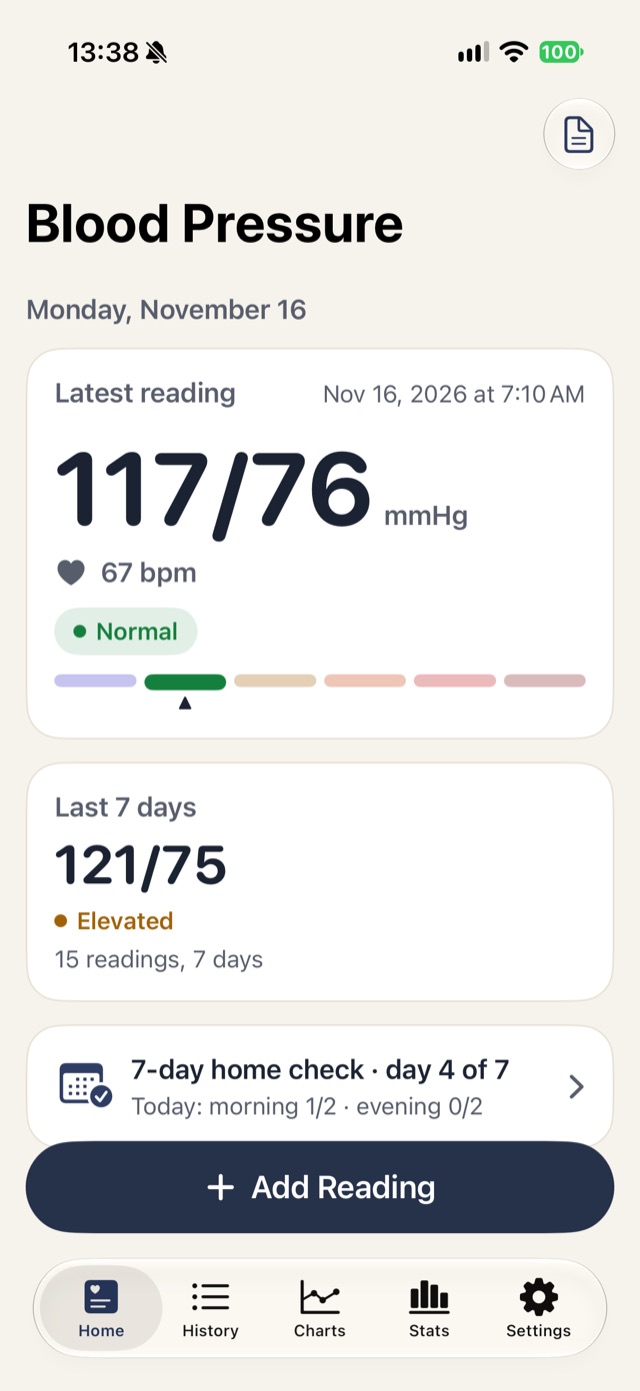
Everything a blood pressure log needs, nothing it doesn't
One reading takes a few seconds to add. Over weeks, the diary shows you and your doctor how the numbers move.
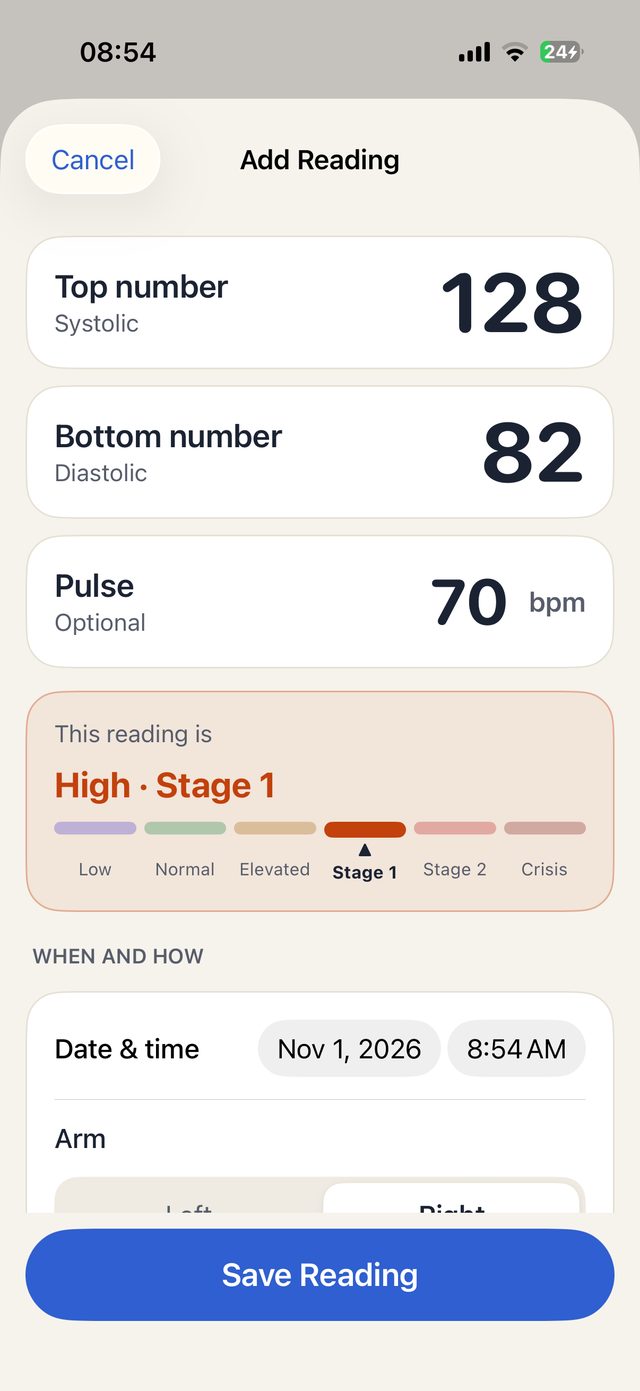
Fast entry
Top and bottom number, pulse, arm, position, tags and a note. Big fields, a number pad, done.
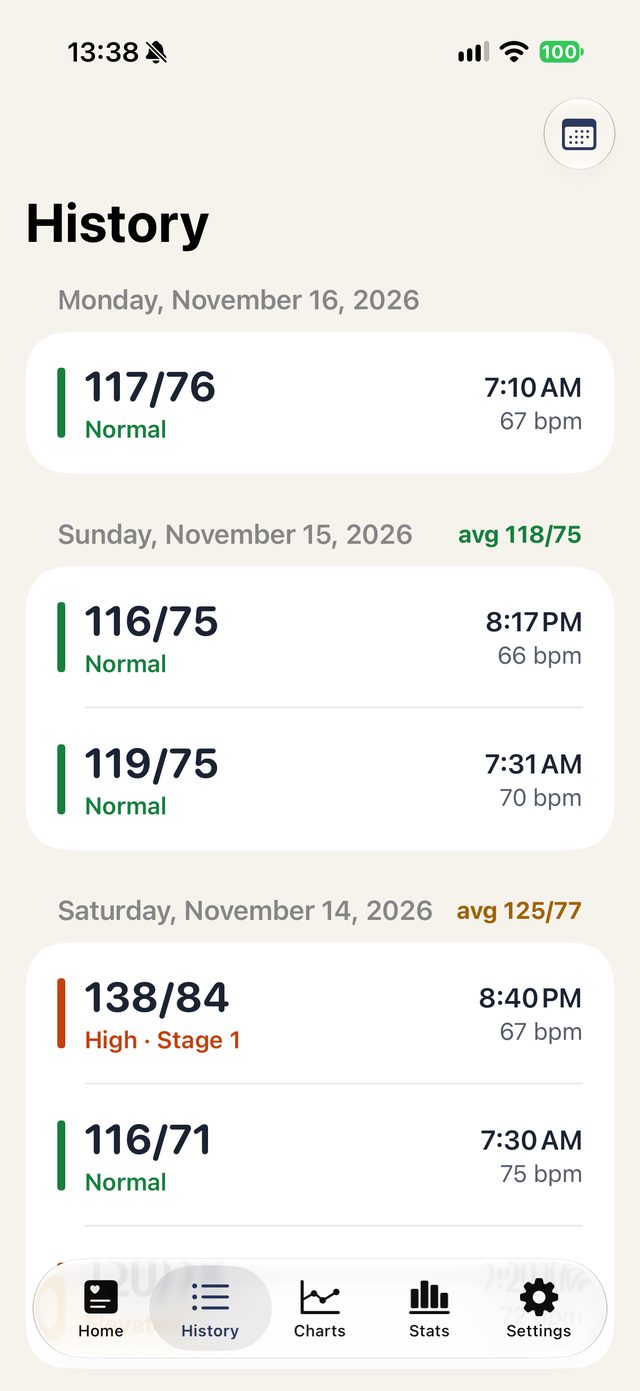
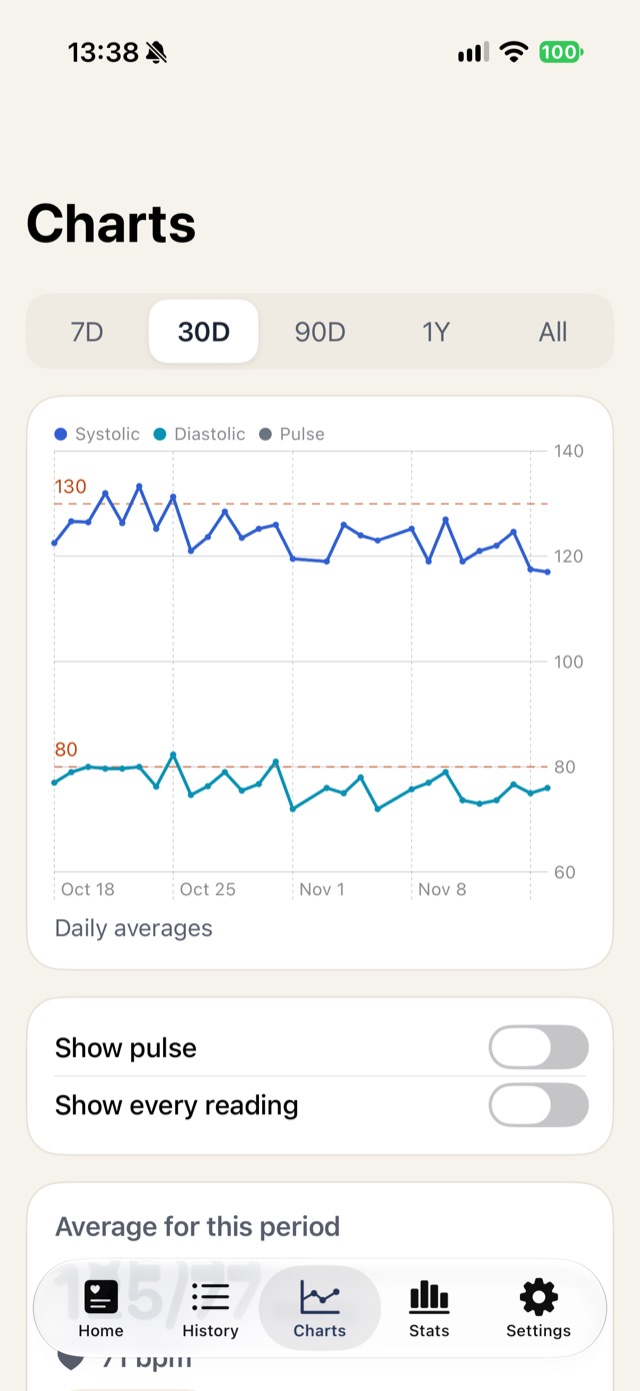
History and charts
Every reading by day, with daily averages, so a day with five readings counts as much as a day with one. Charts for 7 and 30 days.
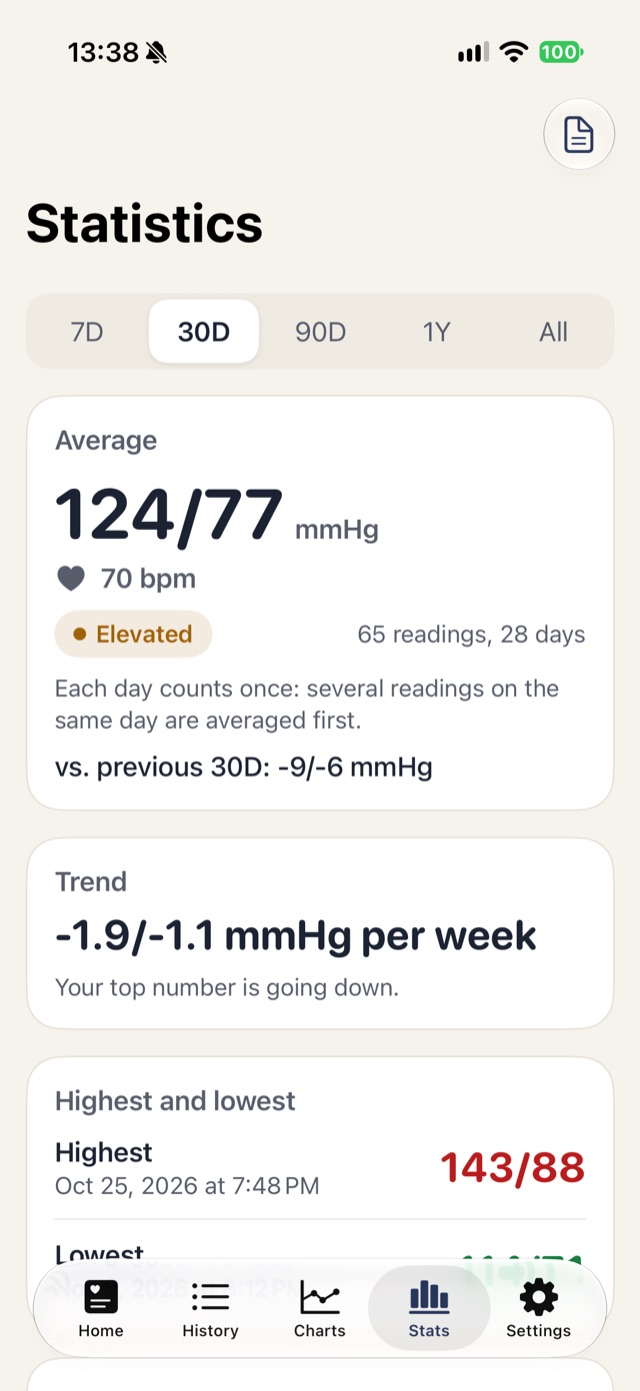
Statistics
Averages and trends, morning vs. evening, left arm vs. right arm, and how many readings you have for each.
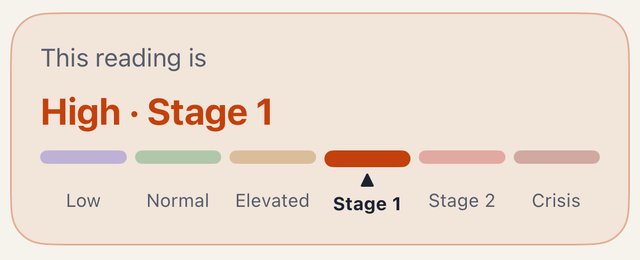
Categories your doctor uses
Each reading is named by the ACC/AHA, ESH or JSH table, picked for your region. Every source is on the Sources page.
Also: Apple Health in both directions, morning and evening reminders, Home Screen and Lock Screen widgets, backup to a file you keep, and large clear type in 7 languages.
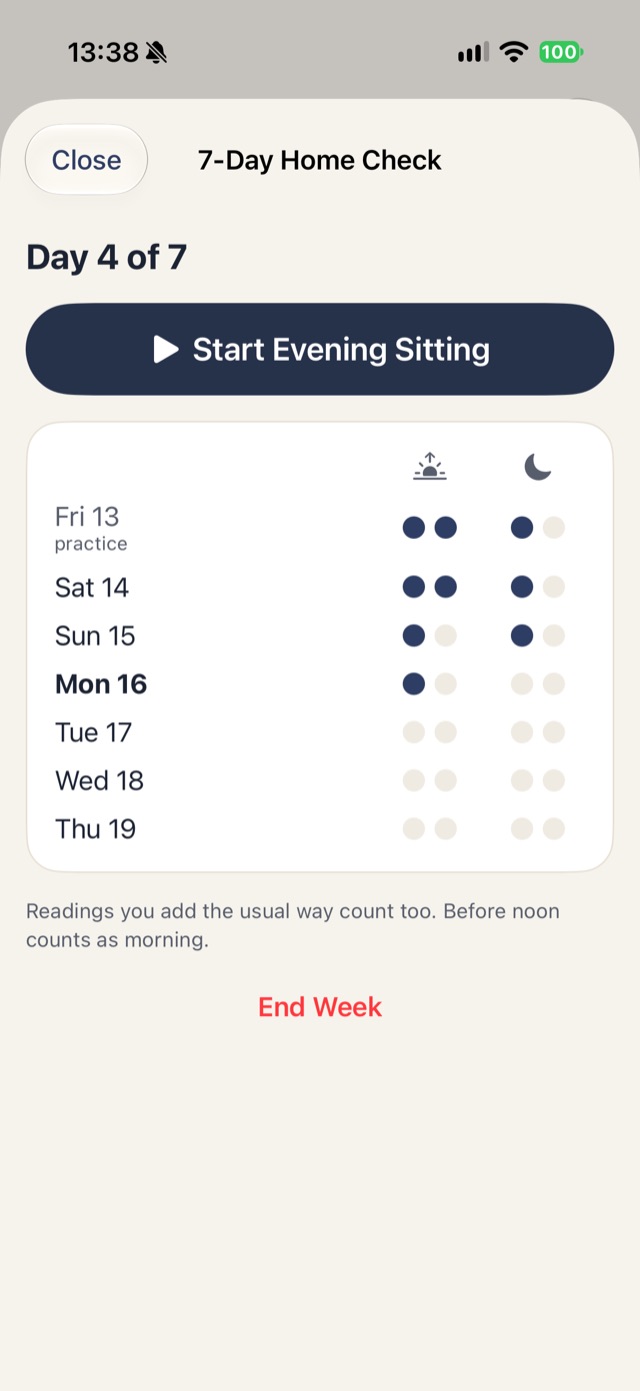
It also guides the 7-day home check your doctor may ask for.
Home readings jump around. Guidelines describe a week of readings taken in a set routine, and doctors often ask for exactly that before a visit. Most people have never heard of it. Simply BP walks you through it.
Get ready
A short checklist: no coffee or exercise before, sit with your back supported, cuff on a bare arm.
Rest 5 minutes
A timer counts down, so the first reading isn't taken in a hurry.
Two readings
One, then another a minute later. Morning and evening, every day for a week.
One average
Day 1 is left out, as the guidelines describe. Days 2–7 become your home average.
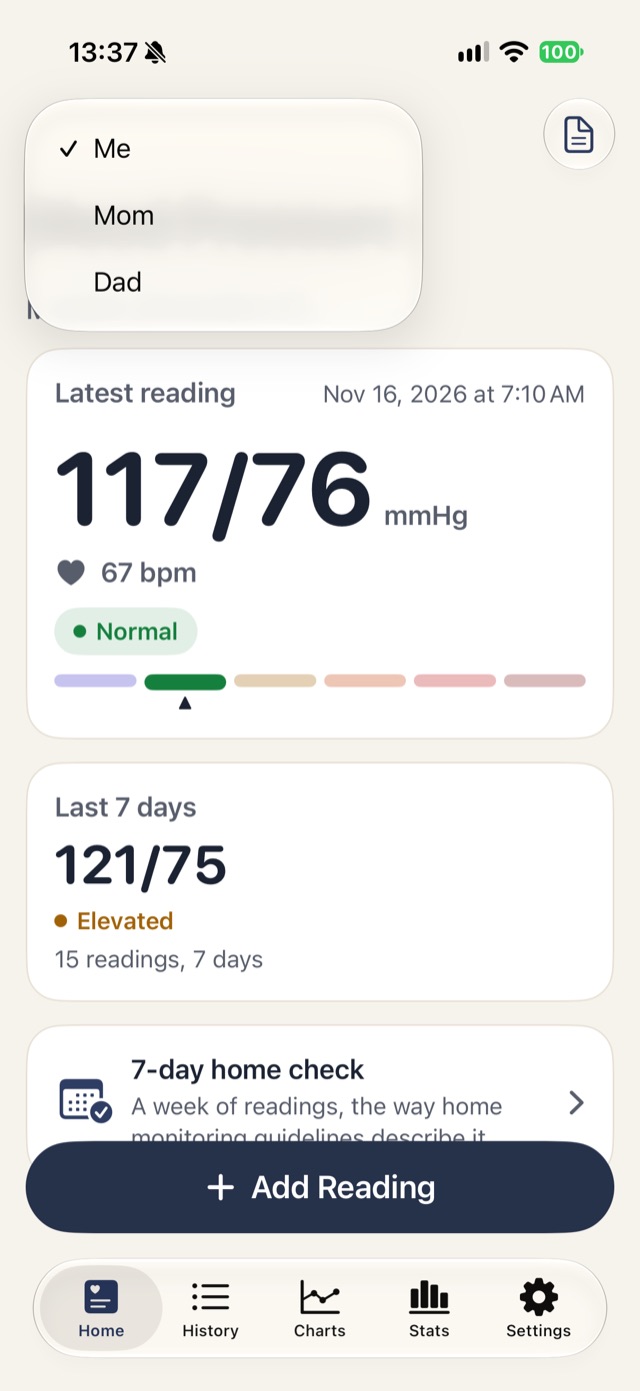
Readings for a parent, on your phone
Keeping Mom's readings before her checkup? Add her as a person. She gets her own history, statistics, home check and report, kept apart from yours.
Only your own readings go to Apple Health and the widget.
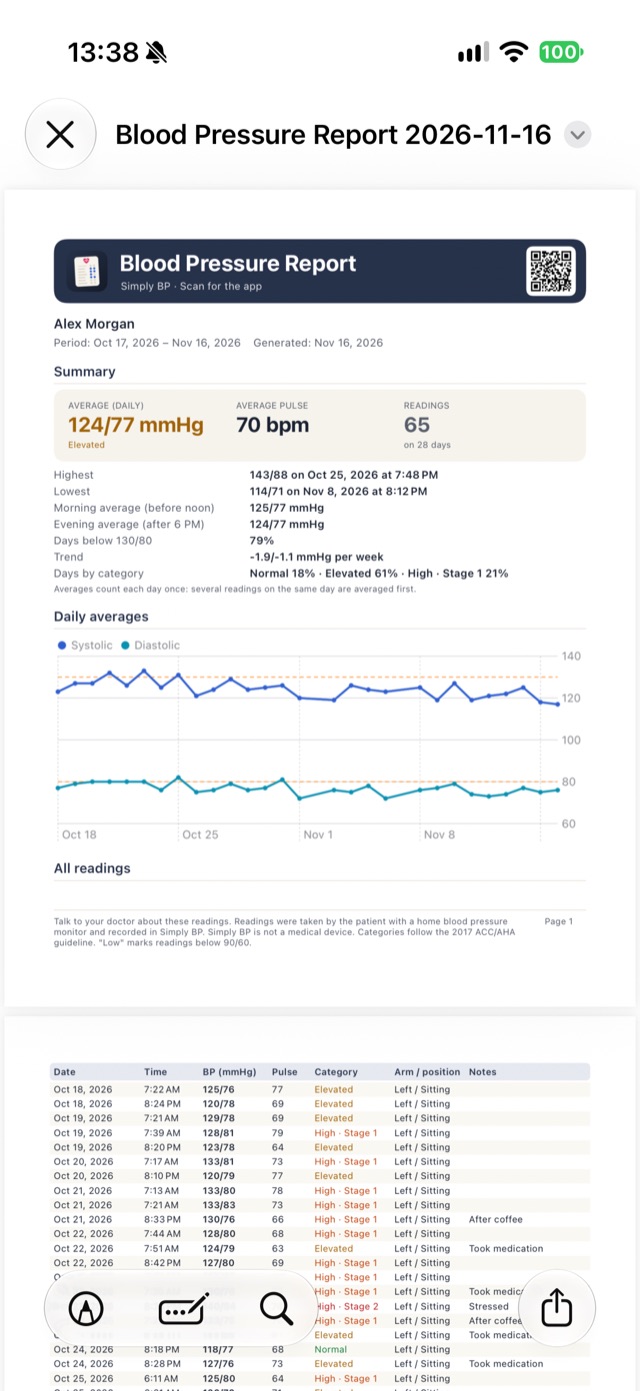
A page your doctor can read in a minute
A one-page summary with the home check result on top, then averages, morning vs. evening, a chart and every reading. Print it, email it, or show it on your phone.
Rather start on paper? Print the log.
Four blank sheets: a weekly and a monthly log with morning and evening rows, a log for the 7-day home routine, and a one-page summary to bring to your doctor. Nothing to interpret: just fields to fill in. Free, no sign-up.

Weekly Blood Pressure Log
One page for 7 days: a morning and an evening row for every day.
Download the weekly log (PDF)
Monthly Blood Pressure Log
Two pages for a whole month: every day from 1 to 31, morning and evening.
Download the monthly log (PDF)
7-Day Home Blood Pressure Log
Two pages for the 7-day home routine: two readings morning and evening, with the steps on the sheet.
Download the 7-day log (PDF)
Blood Pressure Summary for Your Doctor
One page to bring to an appointment: your averages, medications, symptoms and questions.
Download the doctor summary (PDF)The same log on your iPhone, with a PDF report for your doctor.
Coming soon to the App StoreFree to log. Pay once if you want more.
Free
Everything you need to keep a diary
- Unlimited readings with pulse, arm, position, tags and notes
- The 7-day home check and its average
- History, search, 7- and 30-day charts
- Apple Health, reminders and widgets
- Backup to a file you keep
Simply BP Pro
One-time purchase. No subscription.
- The PDF report for your doctor, home check included
- Full statistics: trends, morning vs. evening, left vs. right arm
- Charts for 90 days, a year or all time
- People: readings for a parent or partner
Good to know
Can Simply BP take my blood pressure?
No. No phone app can do that with its camera or sensors. Simply BP is a diary: use your own cuff, then type in the numbers, or let them come in from Apple Health.
Which cuffs does it work with?
Any. You can type in readings from any upper-arm or wrist device. If your device's app saves to Apple Health (Omron, Withings and many others do), readings appear in Simply BP on their own.
Do I have to do the 7-day check?
No. It's there when your doctor asks for a home average. Day to day, Simply BP works as a regular diary.
Is there a paper version?
Yes: a free weekly and monthly blood pressure log in PDF. Print it, fill it in by hand and bring it to your appointment.
Where are my readings stored?
On your iPhone and, if you turn it on, in Apple Health. There's no account and no server copy. Anonymous usage counts help us improve the app and never include health data. See the privacy policy.
I bought Pro. How do I get it on a new phone?
Settings › Restore Purchases, with the same Apple Account. More answers on the support page.

Bring one clear number to your next appointment
Simply BP for iPhone. Free to start.
Coming soon to the App Store